Wednesday, November 7, 2012

Solving Travelling Salesman Problem with JgraphT and JGAP libraries


Recently, I came across a real life problem of TSP. In this problem, user is assigned a list of cities to visit, but is not required to come back. At end point, he is again assigned to visit new set of cities.

This turns out to be a Hamiltonian path problem and not Hamiltonian cycle. I evaluated 2 different libraries for it namely JgraphtT and JGAP.

JgraphT seems to use MST-prim based approximation algorithm, where Cost of tour in worst case is 2*optimalCost. It computes in polynomial time and is very fast. To solve Hamiltonian path problem, you can add an extra vertex say city 0. Next add edges from all vertices to city 0 with weight 0 (Remember input graph has to be a complete graph). After computation remove the city 0 and all the corresponding edges.
Code for this is: 

import java.util.ArrayList;
import java.util.List;
import java.util.Set;

import org.jgrapht.alg.HamiltonianCycle;
import org.jgrapht.graph.DefaultWeightedEdge;
import org.jgrapht.graph.SimpleWeightedGraph;


/**
 * Using jgrpaht library
 * 
 * @author pratyush
 * 
 */
public class HamiltonianCycleHelper {

 private SimpleWeightedGraph<Long, DefaultWeightedEdge> g = new SimpleWeightedGraph<Long, DefaultWeightedEdge>(
   DefaultWeightedEdge.class);

 public void addVertex(Long id) {
  g.addVertex(id);
 }

 public void addVertex(List<Long> ids) {
  for (Long id : ids) {
   g.addVertex(id);
  }
 }

 public void addEdge(Long source, Long destination, Long weight) {
  DefaultWeightedEdge edge = g.addEdge(source, destination);
  g.setEdgeWeight(edge, weight);
 }

 public List<Long> execute() {
  Set<Long> vertices = g.vertexSet();
  addVertex(0l);
  System.out.println(vertices);
  for (Long v : vertices) {
   if (v.longValue() == 0)
    continue;
   DefaultWeightedEdge edge = g.addEdge(0l, v);
   g.setEdgeWeight(edge, 0);
  }
  List<Long> output = HamiltonianCycle
    .getApproximateOptimalForCompleteGraph(g);
  output.remove(Long.valueOf(0l));
  return output;
 }

 public static void main(String args[]) {
  List<Long> vertices = new ArrayList<Long>();
  vertices.add(1l);
  vertices.add(2l);
  vertices.add(3l);
  HamiltonianCycleHelper h = new HamiltonianCycleHelper();
  h.addVertex(vertices);
  h.addEdge(1l, 2l, 1l);
  h.addEdge(1l, 3l, 5l);
  h.addEdge(2l, 3l, 3l);
  List<Long> output = h.execute();
  System.out.println(output);
 }
}

JgraphT results were good, but I wanted worst case cost to be better. Even though, I don’t know about genetic algorithms, I tried out JGAP library examples and it worked pretty well. If you check the example source code, you can modify the SalesmanFitnessFunction.java by commenting the return path:

protected double evaluate(final IChromosome a_subject) {
  double s = 0;
  Gene[] genes = a_subject.getGenes();
  for (int i = 0; i < genes.length - 1; i++) {
   s += m_salesman.distance(genes[i], genes[i + 1]);
  }
  // add cost of coming back:
  //s += m_salesman.distance(genes[genes.length - 1], genes[0]);
  return Integer.MAX_VALUE / 2 - s;
}
Also, modify TravellingSalesman.java, instead of just
TravellingSalesman t = new TravellingSalesman();
IChromosome optimal = t.findOptimalPath(null);
Try something like:
public List<Long> compute() throws Exception {
  IChromosome tempChromosome=null;
  int maxEvolution = 12;
  int maxPopulation = 12;
  int steps = 10;
  List<Long> output = new ArrayList<Long>();
  double currentFitness = 0;
  //Give few tries to find avg best path
  while (maxEvolution <= 512) {
   Configuration.reset();
   setMaxEvolution(maxEvolution);
   setPopulationSize(maxPopulation);
   tempChromosome = findOptimalPath(null);
   if (tempChromosome.getFitnessValue() > currentFitness) {
    currentFitness = tempChromosome.getFitnessValue();
    output = new ArrayList<Long>();
    int geneVal;
    Gene g[] = tempChromosome.getGenes();
    for (int i = 0; i < g.length; i++) {
     IntegerGene geneA = (IntegerGene) g[i];
     geneVal = geneA.intValue();
     output.add(geneVal);
    }
   }
   maxEvolution += steps;
   maxPopulation += steps;   
  }
  return output;
 }
Increasing the chromosome population makes computation slow, but results much better. Happy TSP solving !

Thursday, August 2, 2012

Hacking nested IN and NOT IN queries in hive

If you are not using nested select, then IN and NOT IN queries work fine.

But if you are looking for nested select, here is a alternate way to solve it :

For IN queries :

[SQL]    select id,name from user where id in (select id from students)
[HIVE]   select user.id,user.name from user JOIN (select id from students) tmp on (tmp.id = user.id)

For NOT IN queries :
[SQL]   select id,name from user where id not in (select id from students)
[HIVE]  select user.id,user.name from user  LEFT OUTER JOIN students ON (students.id = user.id) where students.id is null

Above will work only when students.id is supposed to be not null. Essentially idea is to have no rows from second table and all rows from first table in left outer join. So, accordingly one can modify where clause. Also in case of multiple joins, you might encounter duplicate rows in result. In that use,
[HIVE] select distinct user.id,user.name from user  LEFT OUTER JOIN students ON (students.id = user.id) where students.id is null

Distinct will involve one more step  of map reduce in HIVE.


Monday, May 7, 2012

PHP script to migrate mysql table to mongo collection


This is a naive PHP script I wrote to migrate data from mysql to mongo DB. I have tested transferring 10 million rows with no problem. Mongo and mysql DB credentials are not handled in this code. Even though code doesnot handle many mongo exceptions, it is good enough for normal use cases. Anybody is welcome to refine the code.
<?
// Usage ./mysqltomongo.php mysqldb mysqltable mongodb mongocollection
function mongo_connect($db,$collection) {
 $m = new Mongo(); //handle username,ports and passwords
 $mydb = $m->$db;
 if(!isset($collection)) return $mydb;
 else {
  $mycollection = $mydb->$collection;
  return $mycollection;
 }
}


$mysqldb=$argv[1];
$mysqltablename=$argv[2];
$mongodb=$argv[3];
$mongocollection=$argv[4];

$link = mysql_connect(...); //give proper info
if (!$link) {
    die('Could not connect: ' . mysql_error());
}

mysql_select_db($mysqldb);
$result = mysql_query("SELECT * from ".$mysqltablename);

$fields = mysql_num_fields($result);
$coltypes=array();
for ($i=0; $i < $fields; $i++) {
    $coltypes[mysql_field_name($result, $i)]=mysql_field_type($result, $i);
}

$mdb = mongo_connect($mongodb);
$mdb->dropCollection($mongocollection);
$collection= mongo_connect($mongodb,$mongocollection);

while ($row = mysql_fetch_array($result, MYSQL_ASSOC)) {
 $newrow=transform($row,$coltypes);
 try {
         $collection->insert($newrow);
 }
 catch(MongoException $e) {
  print_r($e);
 }
}

function transform($row,$coltypes) {
 $val;
 $ret=array();
 foreach($row as $k=>$v) {
        $val=utf8_encode($v);
        if($coltypes[$k]=="real") $val=floatval($val);
        else if($coltypes[$k]=="int") $val=intval($val);
        $ret[$k]=$val;
 }
 return $ret;
}

mysql_close();
?>

Code for Single, Double and Triple Exponential Forecasting

Recently I got interested in analyzing trends in time series and explored few forecasting techniques.

A good read to start are :
  • http://www.itl.nist.gov/div898/handbook/pmc/section4/pmc4.htm
  • http://en.wikipedia.org/wiki/Moving_average
  • http://en.wikipedia.org/wiki/Exponential_smoothing
First thing I did was to plot SMA and EMA over existing data with varying windows sizes and alpha values. This gives a initial idea of how your time series data is fluctuating with time. I used a awesome tool FLOT to visualize. I didn't get time to explore awesome library, but you may try http://www.r-project.org/

Next step after visualizing, is to find trends and forecast. Before forecasting future data points, I suggest forecast over current data set and try to get close fit as possible. Some of my observations from studying all the 3 smoothing methods are :
1) Single exponential should be used to when there are hardly any trends. Forecast value is almost equivalent to last data point. Only gain you get out of this method is to gain insight to alpha value by minimizing Mean Squared Error.
2) Double exponential method gives you better forecast values when there is some trend...say continuously going up or down. Forecasts are much better than single exponential. Playing with gamma value is fun.
3) Triple exponential method is good with trend plus season. By carefully iterating over period,alpha,beta,gamma, and each time minimizing MSE, one can get pretty close forecasts.

Here are my codes used :

 /**
  * http://www.itl.nist.gov/div898/handbook/pmc/section4/pmc431.htm
  * http://www.itl.nist.gov/div898/handbook/pmc/section4/pmc432.htm
  * @param data - input data
  * @param alpha - good value between 0.1-0.9
  * @param numForecasts - ahead forecasts
  * @return
  */
 public static double[] singleExponentialForecast(double[] data, double alpha, int numForecasts) {
  double[] y = new double[data.length + numForecasts];
  y[0] = 0;
  y[1] = data[0];
  int i = 2;
  for (i = 2; i < data.length; i++) {
   y[i] = alpha * data[i - 1] + (1 - alpha) * y[i - 1];
  }

  for (int j = 0; j < numForecasts; j++, i++) {
   y[i] = alpha * data[data.length - 1] + (1 - alpha) * y[i - 1];
  }
  return y;
 }

 /**
  * http://www.itl.nist.gov/div898/handbook/pmc/section4/pmc433.htm
  * http://www.itl.nist.gov/div898/handbook/pmc/section4/pmc434.htm
  * @param data
  * @param alpha
  * @param gamma
  * @param initializationMethod
  * @param numForecasts
  * @return
  */
 public static double[] doubleExponentialForecast(double[] data, double alpha, double gamma, int initializationMethod, int numForecasts) {
  double[] y = new double[data.length + numForecasts];
  double[] s = new double[data.length];
  double[] b = new double[data.length];
  s[0] = y[0] = data[0];
  
  if(initializationMethod==0) {
   b[0] = data[1]-data[0];
  } else if(initializationMethod==1 && data.length>4) {
   b[0] = (data[3] - data[0]) / 3;
  } else if(initializationMethod==2) {
   b[0] = (data[data.length - 1] - data[0])/(data.length - 1);
  }
  
  int i = 1;
  y[1] = s[0] + b[0];
  for (i = 1; i < data.length; i++) {
   s[i] = alpha * data[i] + (1 - alpha) * (s[i - 1]+b[i - 1]);
   b[i] = gamma * (s[i] - s[i - 1]) + (1-gamma) * b[i-1];
   y[i+1] = s[i] + b[i];
  }

  for (int j = 0; j < numForecasts ; j++, i++) {
   y[i] = s[data.length-1] + (j+1) * b[data.length-1];
  }
  
  return y;
 }
 
 public static double TSAError(double[] data, double[] forecast) {
  double mad = 0.0;
  double mse = 0.0;
  double diff = 0.0;

  for (int i = 0; i < data.length; i++) {
   diff = data[i] - forecast[i];
   mad += Math.abs(diff);
   mse += Math.pow(Math.abs(diff), 2.0);
  }
  
  return mse/data.length;
 }

Triple Exponential code can be found at http://n-chandra.blogspot.in/2011/04/holt-winters-triple-exponential.html
PS: Let me know if code has problems

Monday, April 9, 2012

How to add pgp public keys for mongo respository

While installing mongo db, if you are trying to get pgp key using
sudo apt-key adv --keyserver keyserver.ubuntu.com --recv 7F0CEB10

you might receive following error :

Executing: gpg --ignore-time-conflict --no-options --no-default-keyring --secret-keyring /etc/apt/secring.gpg --trustdb-name /etc/apt/trustdb.gpg --keyring /etc/apt/trusted.gpg --primary-keyring /etc/apt/trusted.gpg --keyserver keyserver.ubuntu.com --recv 7F0CEB10
gpg: requesting key 7F0CEB10 from hkp server keyserver.ubuntu.com
gpgkeys: HTTP fetch error 7: couldn't connect to host
gpg: no valid OpenPGP data found.
gpg: Total number processed: 0

You can fix this by storing pgp public key written in http://www.mongodb.org/display/DOCS/Ubuntu+and+Debian+packages into a file say mongo.key and then execute "sudo apt-key add mongo.key" and then proceed with "sudo apt-get update"

Saturday, April 7, 2012

Store ajax json response into javascript variable using jquery

If you wish to make an ajax call, and assign response json into a variable directly...here is a small hack :
function getJson(url) {
 return JSON.parse($.ajax({
     type: 'GET',
     url: url,
     dataType: 'json',
     global: false,
     async:false,
     success: function(data) {
         return data;
     }
 }).responseText);
}

var myJsonObj = getJson('myjsonurl');

Wednesday, March 21, 2012

Umarshalling JSON and XML

If you want to unmarshall json or xml inputstream to Java object, here are the functions :
public static <T> T unmarshalXML(InputStream is, Class<T> c)
   throws JAXBException {
  JAXBContext jc = JAXBContext.newInstance(c);
  Unmarshaller u = jc.createUnmarshaller();
  T response = (T) u.unmarshal(is);
  return response;
 }

 public static <T> T unmarshalJSON(InputStream is, Class<T> c)
   throws JAXBException, IOException, JSONException, XMLStreamException {
  JAXBContext jc = JAXBContext.newInstance(c);
  Unmarshaller u = jc.createUnmarshaller();
  String sJson = IOUtils.toString(is);
  JSONObject obj = new JSONObject(sJson);
  Configuration config = new Configuration();
  MappedNamespaceConvention con = new MappedNamespaceConvention(config);
  XMLStreamReader xmlStreamReader = new MappedXMLStreamReader(obj, con);
  T response = (T) u.unmarshal(xmlStreamReader);
  return response;
 }

Friday, March 16, 2012

Installing ReviewBoard plugin in Eclipse IDE


ReviewBoard (www.reviewboard.org/) is a nice code review web tool. ereviewboard (http://marketplace.eclipse.org/content/ereviewboard) is the corresponding plugin for Eclipse IDE. Below are the steps mentioned to integrate it with Eclipse IDE :

  • Goto Help->Install New software
  • Use URL http://rombert.github.com/ereviewboard/update/ and install "Mylyn Reviews Connector: ReviewBoard" and "Mylyn Reviews Connector: Review Board Subeclipse integration" (there are 3 connectors available, choose the appropriate one...here i am assuming subversion)
  • If subeclipse is not installed, use url http://subclipse.tigris.org/update_1.6.x
  • After installation, Open the task repositories view by navigating to Window -> Show View -> Other -> Mylyn -> Task Repositories
  • Click the "Add Task Repository" button located in the view's toolbar.
  • Select reviewboard and enter server as your reviewboard weburl (ex : http://192.168.x.x), username, password (Save password) and finish.
  • Now, Right-click on a Project and select Team -> Create Review Request will post to reviewboard (if you dont see such a option trying restarting eclipse)

Some helpful links :
http://help.eclipse.org/galileo/index.jsp?topic=/org.eclipse.mylyn.help.ui/userguide/Task-Repositories.html
https://github.com/rombert/ereviewboard/wiki/Subclipse-integration

Remarks :
This tool can only post diff's of 1 project to reviewboard. Multiple project diff are not supported

Listing all entities in a JPA

Sometimes it may be a usecase scenario to find whether a particular class is an entity managed by persistence context. If you have entityManager or entityManagerFactory you can easily do that :
 Metamodel meta = entityManagerFactory.getMetamodel();
 // or
 Metamodel meta = entityManager.getEntityManagerFactory().getMetamodel();

 // to iterate over all classes
 for (EntityType<?> e : meta.getEntities()) {
  // get entity class
  Class c = e.getJavaType();
  // get entity name as string
  String entityName = e.getName(); //or c.getName()
 }

 // test a particular class is entity
 // will throw java.lang.IllegalArgumentException if not an entity
 meta.entity(inputClass);

Curious Case in MYSQL : Lock wait timeout exceeded on INSERT

Sounds strange, that how can a insert be locked or timed out . I had a innodb table with very frequent inserts, updated and deletes. After every few minutes, one of the inserts got timed out (50 sec is default value for innodb_lock_wait_timeout). My understanding was that timeouts happen when some other thread/transaction holds a exclusive record lock (select .. from update) for a long time. So how can a non-existent new row be already locked. I do not have a proper answer to this.

What solved my problem was dropping index and foreign key mapping, which were luckily irrelevant. Random guess is that innodb locks a range of index on insert. If you have an answer do let me know !

Monday, August 29, 2011

Avoiding dirty reads in a concurrent environment

Recently, I was facing issue of handling concurrent access and modifications to database using JPA. Most of the time inserts where happening based on dirty reads or unique key violations were happening, thereby making the data inconsistent. So, to overcome this, I used 2 separate things. Firstly, delegated few tasks to central db, by using before insert triggers (need to refresh the entity after persist in case of pre-insert trigger). Secondly, introduced version based modifications. Here is a nice article which explains this : http://java.dzone.com/articles/jpa-20-concurrency-and-locking.

One can use application based optimistic locks or db row level based pessimistic locks. While using locks you need to handle errors like lock timeout or optimistic lock exceptions and do multiple retries with some random short sleeps. It is important to remember that for most of the exceptions, jpa marks the transaction for rollbackonly, so one needs to begin a fresh transaction after exception, to have proper commits.

Saturday, July 30, 2011

Integrating code coverage (integration-test phase) with maven

This article is about integrating code coverage with maven (test or integration-test phase). Somehow, whenever I try to mess with maven, it gives me a hard time probably because its documentation is not well and scattered.

So, after a days research I came across 3 plugins : EMMA, Cobertura and Clover.
I will not go into details of clover as it is paid and has licensing issues (you need license war's although you can get 30 day trial war). I somehow found it difficult to integrate with tomcat.

I was pretty new to understand how code coverage is computed. After doing some research I figured out that it involves 4 steps :
1) Instrumentation : All classes will be added with some extra code which help analyze line hits in code coverage later. So, plugin will generate instrumented jar and an additional file like (.em/.ec by emma or .ser file by cobertura).
2) Running test cases/Deployment on J2EE container : Running in test phase is straight forward.
To deploy in say tomcat in my case, firstly, you need to specify environment variable to where plugin will dump instrumented data for during test phase on tomcat.
3) After tomcat is deployed, junits are run. And when tomcat stops, plugin will dump the instrumented data file which will be used to generate code coverage report.
4) Merge dump files and generate report in different formates like html,xml,txt.

Now, each plugin has a different way of dumping runtime data and initial instrumentation data. Lets discuss EMMA and Cobertura in their approach (Note : Please choose maven "phase" according to your needs)

Cobertura

Before we look into cobertura, a word of caution. If your project uses spring and jdk proxies, please use EMMA instead, as in my case. Cobertura has problems with org.springframework.aop.framework.ProxyFactoryBean and jdk proxies. If you are using AOP proxies and have annotation at class level and not interface level, then you can use cobertura.

1) To instrument classes use cobertura-maven-plugin .
Here is a snippet to instrument jars


  cobertura
  
   
    net.sourceforge.cobertura
    cobertura
    true
    1.9.4.1


     org.codehaus.mojo
     cobertura-maven-plugin
     
      
       cobertura-instrument
       process-classes
       
        instrument


This will generate a .ser file which will contain meta data about each class. It is important that before deploying, .ser should contain meta data about all the classes you are interested in finding. Say if you have 2 different jar's instrument in 2 different projects, use cobertura-merge before deploying on tomcat (if you are interested in code coverage of jar 1 in project 2..say common library in my case). This can be done using ant task (do only if you need to merge 2 different metadata ser before hand. In single project it is not needed). You can choose appropriate phase before deployment. In my project, I used it at jar verify stage.


 maven-antrun-plugin
 1.6
 
  
   merge-ser-pre
   verify
   
    
     < taskdef classpathref="maven.runtime.classpath"
     resource="tasks.properties" />
     < taskdef classpathref="maven.runtime.classpath"
     resource="net/sf/antcontrib/antcontrib.properties" />
     < echo message="Executing cobertura merge" />
     
      
       < include name="cobertura.ser" />

      
       < include name="cobertura.ser" />


    run


   ant-contrib
   ant-contrib
   20020829


Now, to deploy on tomcat you need following dependency in war packaging

 
  net.sourceforge.cobertura
  cobertura
  1.9.4.1
  jar
  compile
 

I am using cargo plugin to start tomcat..so here is how to set dump file system vairable :

 ...
 
  somelocation/cobertura.ser


It is extremely important to note that this dumping .ser should be same as previously metadata instrumented .ser . After runtime, EMMA should dump information into same .ser which was instrumented initially during jar creation or merged ser in case of multi projects or else code coverage will be 100%.

Finally, we need to create a report from this .ser . If you have different .ser from different projects computed separately, you can again use cobertura merge to merge them into a final ser.

Cobertura reports are better as html reports looks visually much better that EMMA. Apart from lines covered, cobertura report also tells how many times each line was hit. This is not covered in EMMA.


 org.apache.maven.plugins
 maven-antrun-plugin
 
  
   verify
   
    
     < taskdef classpathref="maven.runtime.classpath"
     resource="tasks.properties" />
     < taskdef
     classpathref="maven.runtime.classpath"
     resource="net/sf/antcontrib/antcontrib.properties" />
     < available
     file="./1.ser" property="ser.file.exists" />
     
      < equals arg1="${ser.file.exists}" arg2="true" />
      
       < echo message="Executing cobertura report" />
       < mkdir
       dir="${project.build.directory}/site/cobertura" />
       <
       cobertura-report format="xml" srcdir="../java/src/main/java"
       destdir="${project.build.directory}/site/cobertura"
       datafile="./final.ser" />

       
        <
        fileset dir="../commons/src/main/java" />
        < fileset
        dir="../algo/java/src/main/java" />
        < fileset
        dir="../practise/java/src/main/java" />


       < echo message="No SER file found."/>


    run


   ant-contrib
   ant-contrib
   20020829


EMMA
EMMA is relatively easier to integrate. For instrumentation initially use :


 emma


    org.codehaus.mojo
    emma-maven-plugin
    1.0-alpha-3
    true
    
     
      process-classes
      
       instrument


This will create .em file . EMMA does not want you to put this .em file in tomcat container unlike cobertura which uses same .ser file to dump runtime information. So, just deploy your war on tomcat with your choosen new dump file path.
you will need following dependency :


  emma
  emma
  2.1.5320
  jar
  compile


Here is code in cargo :


  false
  ${basedir}/target/final.ec


If you have multiple projects to be build, emma sometimes will give you "java.net.BindException:Address in use" error and not allow tomcat to start. This can either be solved by using emma.rt.control.port system variable and setting different values for different project jars. But a better approach is to somehow disable it using emma.rt.control, setting it to false(Thats why comment port)

After tomcat shuts, it will generated this final.ec

And finally we need to merge (in case of multi projects ) and create final report. Here is the code :


  emma
  emma
  2.1.5320
  jar
  compile
 
 
  emma
  emma_ant
  2.1.5320
  jar
  compile


   maven-antrun-plugin
   1.6
   
    
     report emma
     verify
     
      
       < taskdef classpathref="maven.runtime.classpath"
       resource="emma_ant.properties" />
       < sleep seconds="15" />


          < include name="algo/webapp/target/final.ec" />
          < include name="algo/java/target/coverage.em" />
          < include name="practise/webapp/target/final.ec" />
          < include name="practise/java/target/coverage.em" />


          < include name="target/final.emma" />

         < txt outfile="target/coverage.txt" />
         < html outfile="target/coverage.html" />


      run


     ant-contrib
     ant-contrib
     20020829


Congrats..check your report :)

I spent almost 4 night-outs on integration maven with cargo and integration tests. Hope you are able to do it quickly :)

Sunday, July 10, 2011

Comprehensive comparision of recursion,memoization and iteration


In this post, I am going to talk about iteration, recursion and memoization. It is important to understand, when one should use recursion. Recursion is sometimes said to be "code beautification", because it improves readability, but mostly suffers on performance. Lets take a famous problem of tower of hanoi. It sounds difficult at first glance, but can be very easily solved in a recursive fashion. Here goes the code :

public class Hanaoi {
 static int ctr=0;
 
 public static void main(String[] args) {
  Stack<String> a,b,c;
  a=new Stack<String>();
  b=new Stack<String>();
  c=new Stack<String>();
  Hanaoi h = new Hanaoi();
  a.push("A");
  int n=5; //no of discs
  for(int i=n;i>0;i--) a.push(i+""); 
  
  b.push("B");
  c.push("C");

  h.doit(a.size()-1,a,c,b);
  System.out.println("Total moves " + ctr);
 }

 void doit(int n,Stack<String> a,Stack<String> c,Stack<String> b) {
  ctr++;
  if(n==0) return;
  else {
   doit(n-1,a,b,c);
   System.out.print("Move plate "+n+" from "+a+" to "+c);
   c.push(a.pop());
   System.out.println("--> Move plate "+n+" from "+a+" to "+c);
   doit(n-1,b,c,a);
  }
 }
}

Give n>=30 and you can see that amount of time taken to compute, rises steeply.

So, a important question arises, when to avoid recursion. Their is no general rule to it, but I would suggest a thumb rule based on my experience. If at any point of time while compution (say state/value C), you can make a decision (somewhat greedy) about next value to be computed P(generally rule based with some temporary data) and their is no need to comeback in state C or reuse value in state C, you should go for iteration. You should generally use recursion when one needs to do a whole state space search, to find global optima.

Let take few examples to explain it (Simultaneously I am going to compare performance of iteration,recursion and memoization where possible)

1) Fibonacci Series :

In this case, you can easily store last 2 values and compute iteratively. Values Fn and Fn-1 will be used to compute Fn+1, while Fn-2 can safely be discarded. Fn-2 will not be used at later point of time.

Type n Output Time taken (in seconds) Comment
Recursion 40 1.02334155E8 1.484 n>=40 takes huges time
Iteration 1476 1.3069892237633987E308 0.0 n>=1476 , double overflows
Recursion with memoization 1476 1.3069892237633987E308 0.015 n>=1476 , double overflows

Here goes the code :
public class Fib {

 HashMap<Double,Double> fib = new HashMap<Double, Double>();
 public static void main(String args[]) {
  Fib f = new Fib();
  f.analyzeFibRecursion(40);
  f.analyzeFibIteration(1476);
  f.analyzeFibMemoizedRecursion(1476);
 }
 
 public double fibRecursion(double l) {
  if(l <= 1) return l;
  else return fibRecursion(l-1)+fibRecursion(l-2);
 }
 
 public void analyzeFibRecursion(double l) {
  Date start = new Date();
  double value = fibRecursion(l);
  Date end = new Date();
  System.out.println("Final Output : "+value);
  System.out.println((end.getTime()-start.getTime())/1000.0+ " seconds");
 }
 
 public double fibIteration(double l) {
  if(l <= 1) return l;
  else {
   double f1 = 0;
   double f2 = 1;
   double f3 = 0;
   double i = 2;
   while(i<=l) {
    f3 = f2 + f1;
    f1 = f2;
    f2 = f3;
    i++;
   }
   return f3;
  }
 }
 
 public void analyzeFibIteration(double l) {
  Date start = new Date();
  double value = fibIteration(l);
  Date end = new Date();
  System.out.println("Final Output : "+value);
  System.out.println((end.getTime()-start.getTime())/1000.0+ " seconds");
 }
 
 public double fibMemoizedRecursion(double l) {
  if(fib.containsKey(l)) return fib.get(l);
  else {
   double v = fibMemoizedRecursion(l-1)+fibMemoizedRecursion(l-2);
   fib.put(l, v);
   return v;
  }
 }
 
 public void analyzeFibMemoizedRecursion(double l) {
  Date start = new Date();
  fib.clear();
  fib.put(0d,0d);
  fib.put(1d,1d);
  double value = fibMemoizedRecursion(l);
  Date end = new Date();
  System.out.println("Final Output : "+value);
  System.out.println((end.getTime()-start.getTime())/1000.0+ " seconds");
 }
}

2) Binary Search :

At, each point of time, you can choose the search in lower or upper partition. Hence, no need to recurse. You dont need to come back to current state again.

Type Array size Lookups Time taken (in seconds)
Recursion 631900 10000000 10.797
Iteration 631900 10000000 4.281

public class BinarySearch {
 
 static int arr[];
 
 public static int RANGE = 1000000;
 public static int ATTEMPTS = 10000000;

 public static void main(String args[]) {
  Random r = new Random();
  TreeSet<Integer> t = new TreeSet<Integer>();
  for(int i=0;i<RANGE;i++) t.add(r.nextInt(RANGE));
  arr=new int[t.size()];
  Integer[] iarr = t.toArray(new Integer[0]);
  for(int i=0;i<iarr.length;i++) {
   arr[i]=iarr[i];
  }  
  System.out.println(t.size());
  
  analyzeIterativeBinarySearch();
  analyzeRecursiveBinarySearch();
 }
 
 private static void analyzeIterativeBinarySearch() {
  Random r = new Random();
  Date start,end;
  int idx;
  int toFind;
  start = new Date();

  for(int i=0;i<ATTEMPTS;i++) {
   toFind = r.nextInt(RANGE);
   idx = iterativeBinarySearch(arr,toFind);
   //System.out.println(toFind+" "+idx);
  }
  end = new Date();
  System.out.println((end.getTime()-start.getTime())/1000.0+ " seconds");
 }
 
 private static int iterativeBinarySearch(int arr[],int val) {
  int mid,low,high;
  low = 0 ;
  high = arr.length-1;
  while(low<=high) {
   mid=(low+high)/2;
   if(arr[mid]==val) return mid;
   else if(val<arr[mid]) high=mid-1;
   else low=mid+1;
  }
  return -1;
 }
 
 private static void analyzeRecursiveBinarySearch() {
  Random r = new Random();
  Date start,end;
  int idx;
  int toFind;
  start = new Date();

  for(int i=0;i<ATTEMPTS;i++) {
   toFind = r.nextInt(RANGE);
   idx = recursiveBinarySearch(arr,toFind,0,arr.length-1);
   //System.out.println(toFind+" "+idx);
  }
  end = new Date();
  System.out.println((end.getTime()-start.getTime())/1000.0+ " seconds");
 }
 
 public static int recursiveBinarySearch(int[] inArray,int num,int start,int end) {
  int pivot=(int)Math.floor((end-start)/2)+start;
  if(num==inArray[pivot]) return pivot;
  if(start==end) return -1; 
  if(num<=inArray[pivot]) return recursiveBinarySearch(inArray,num,start,pivot);
  else return recursiveBinarySearch(inArray,num,pivot+1,end);
 }
}


3) Binary Tree Search/Tree traveral :

BST search is similar to binary search on tree. So, we can go for iteration. Same should be used in case of tries also. On the contrary, tree traveral need to go over all the nodes and hence a iterative traveral will be a over do.

Lets examine the performance of tree search

Type Array size Lookups Time taken (in seconds)
Recursion 631647 1000000 61.718
Iteration 631647 1000000 44.86

While in case of tree traveral, you can clearly see that use of stacks is an overdo.

Type Array size Time taken (in seconds)
Recursion 631647 0.015
Iteration 631647 0.063

Here goes the code :

public class TreeSearch {
 public static int RANGE = 1000000;
 public static int ATTEMPTS = 1000000;

 public static void main(String[] args) {
  
  Random r = new Random();
  HashSet<Double> h = new HashSet<Double>();
  for(int i=0;i<RANGE;i++) h.add((double)r.nextInt(RANGE));
  System.out.println(h.size());
  Tree t = new TreeSearch().new Tree();

  for(Double d : h) {
   t.insert(d.doubleValue());
  }
  
  analyzeRecursiveSearch(t);
  analyzeIterativeSearch(t);
  
  analyzeRecursiveBrowse(t);
  analyzeIterativeBrowse(t);
 }
 
 private static void analyzeRecursiveSearch(Tree t) {
  Random r = new Random();
  Date start,end;
  boolean found;
  double toFind;
  start = new Date();

  for(int i=0;i<ATTEMPTS;i++) {
   toFind = (double)r.nextInt(RANGE);
   found = t.recursiveSearch(t.root, toFind);
  }
  end = new Date();
  System.out.println((end.getTime()-start.getTime())/1000.0+ " seconds");
 }
 
 private static void analyzeIterativeSearch(Tree t) {
  Random r = new Random();
  Date start,end;
  boolean found;
  double toFind;
  start = new Date();

  for(int i=0;i<ATTEMPTS;i++) {
   toFind = (double)r.nextInt(RANGE);
   found = t.iterativeSearch(t.root, toFind);
  }
  end = new Date();
  System.out.println((end.getTime()-start.getTime())/1000.0+ " seconds");
 }
 
 private static void analyzeRecursiveBrowse(Tree t) {
  Date start = new Date();
  t.inorderRecursive(t.root);
  Date end = new Date();
  System.out.println((end.getTime()-start.getTime())/1000.0+ " seconds");
 }
 
 private static void analyzeIterativeBrowse(Tree t) {
  Date start = new Date();
  t.inOrderIterative(t.root);
  Date end = new Date();
  System.out.println((end.getTime()-start.getTime())/1000.0+ " seconds");
 }

 class Node {
  Node left,right;
  double val;
  
  Node(double val) {
   this.val = val;
  }   
 }

 class Tree {
  Node root;
  Tree() {}

  void insert(double val) {
   root=insert(root,val);
  }
  
  Node insert(Node n,double val) {
   if(n==null) n = new Node(val);
   else if(n.val>val) n.left=insert(n.left,val);
   else n.right=insert(n.right,val);
   return n;
  }
  
  boolean recursiveSearch(Node n , double val) {
   if(n==null) return false;
   else {
    if(n.val==val) return true;
    else if(n.val>val) return recursiveSearch(n.left, val);
    else return recursiveSearch(n.right, val);
   }
  }
  
  boolean iterativeSearch(Node n , double val) {
   while(n!=null) {
    if(n.val==val) return true;
    else if(n.val>val) n=n.left;
    else n=n.right;
   }
   return false;
  }
  
  void inorderRecursive(Node n) {
   if(n==null) return;
   inorderRecursive(n.left);
   //System.out.print(n.val+" ");
   inorderRecursive(n.right);
  }
  
  public void inOrderIterative(Node n) {
   Stack<Node> s = new Stack<Node>(); 
   while (n !=null) {
     s.push(n);
     n = n.left;
   }
   while (!s.isEmpty()) {
    n = s.pop();
    //System.out.print(n.val+" ");
    n = n.right;
    while(n !=null) {
     s.push(n);
     n = n.left;
    } 
   } 
  }
 }
}

4) Matrix Chain Multiplication :

This is a classic example of dynamic programming. Iteration can work with a DP formulation only. Otherwise, a brute force approach would be to use recursion which is very bad. But, you can drastically improve performance by using recursion + memoization.

Type Length of p array No. of p's solved Time taken (in seconds)
Recursion 25 500 64.999
Recursion + Memoization 25 500 0.016
Iteration 25 500 0.0

Code :

public class MatrixMultiplication {
 public static int ATTEMPTS = 500;
 public static int RANGE = 25;

 public static void main(String args[]) {
  analyze();
 }

 private static void analyze() {
  Random r = new Random();
  Date start, end;
  int val;
  long totalTimeDP = 0, totalTimeRecursive = 0, totalTimeMemoized = 0;
  for (int i = 0; i < ATTEMPTS; i++) {
   HashSet<Integer> h = new HashSet<Integer>();
   for (int j = 0; j < RANGE; j++)
    h.add(r.nextInt(RANGE));
   h.remove(new Integer(0));
   int[] p = new int[h.size()];
   Integer[] iarr = h.toArray(new Integer[0]);
   for (int j = 0; j < iarr.length; j++) {
    p[j] = iarr[j];
   }
   start = new Date();
   val = dp(p);
   // System.out.println(val);
   end = new Date();
   totalTimeDP += (end.getTime() - start.getTime());

   start = new Date();
   int[][] m = new int[p.length][p.length];
   val = recursive(p, 1, p.length - 1, m);
   // System.out.println(val);
   end = new Date();
   totalTimeRecursive += (end.getTime() - start.getTime());

   start = new Date();
   m = new int[p.length][p.length];
   val = memoized(p, m);
   // System.out.println(val);
   end = new Date();
   totalTimeMemoized += (end.getTime() - start.getTime());
  }
  System.out.println(totalTimeDP / 1000.0 + " seconds");
  System.out.println(totalTimeRecursive / 1000.0 + " seconds");
  System.out.println(totalTimeMemoized / 1000.0 + " seconds");

 }

 public static int dp(int p[]) {
  int n = p.length - 1;

  int[][] m = new int[n + 1][n + 1];
  int[][] s = new int[n + 1][n + 1];

  for (int i = 1; i <= n; i++)
   m[i][i] = 0;

  for (int L = 2; L <= n; L++) {
   for (int i = 1; i <= n - L + 1; i++) {
    int j = i + L - 1;
    m[i][j] = Integer.MAX_VALUE;
    for (int k = i; k <= j - 1; k++) {
     // q = cost/scalar multiplications
     int q = m[i][k] + m[k + 1][j] + p[i - 1] * p[k] * p[j];
     if (q < m[i][j]) {
      m[i][j] = q;
      s[i][j] = k;
     }
    }
   }
  }
  return m[1][n];
 }

 public static int recursive(int p[], int i, int j, int[][] m) {
  if (i == j)
   return 0;
  m[i][j] = Integer.MAX_VALUE;

  for (int k = i; k <= j - 1; k++) {
   int q = recursive(p, i, k, m) + recursive(p, k + 1, j, m)
     + p[i - 1] * p[k] * p[j];
   if (q < m[i][j])
    m[i][j] = q;
  }

  return m[i][j];
 }

 public static int memoized(int p[], int[][] m) {
  for (int i = 1; i < m.length; i++) {
   for (int j = 1; j < m.length; j++) {
    m[i][j] = Integer.MAX_VALUE;
   }
  }
  return memoized(p, 1, m.length - 1, m);
 }

 public static int memoized(int p[], int i, int j, int[][] m) {
  if (m[i][j] < Integer.MAX_VALUE)
   return m[i][j];

  if (i == j)
   m[i][j] = 0;
  else {
   for (int k = i; k <= j - 1; k++) {
    int q = memoized(p, i, k, m) + memoized(p, k + 1, j, m)
      + p[i - 1] * p[k] * p[j];
    if (q < m[i][j])
     m[i][j] = q;
   }
  }
  return m[i][j];
 }
}

Tuesday, July 5, 2011

Finding all combinations/permutations using bit operator

This is a simple problem of finding all combination/permutation of a given set of characters/words/numbers. What I want to illustrate is the beauty of bit operators. Usually, we tend to skip bit operations in code. Following code illustrates it :

public class CombinationPermutation {

 public String str = "abc";
 public int i = 0; //work as binary array
 public static void main(String[] args) {
  CombinationPermutation cp = new CombinationPermutation();
  cp.combinations();
  cp.permutations();
 }
 
 /**
  * Loop through numbers from 1 to 2^length
  * For each number if bit is set, append them
  */
 private void combinations() {
  int n = str.length();
  for (int i = 1; i < (1 << n); i++) {
   String s = "";
   for (int j = 0; j < n; j++) {
    if ((i & 1<<j) != 0) {
     // append chars for set bit
     s += str.charAt(j);
    }
   }
   System.out.println(s);
  }
 }
 
 /**
  * @param res
  * current permutation string formed
  * @param set
  * current set of characters from which permutation needs to be formed
  */
 private void permutations(String res,String set) {
  if(res.length()==set.length()) System.out.println(res);
  for(int j=0;j<set.length();j++) {
   if((i&1<<j) == 0) {
    i|=1<<j; //set available free 0 bit
    permutations(res+set.charAt(j),set);
    i&=~(1<< j); //unset that bit to 0
   }
  }
 }
 /**
  * For each combination found , find all its permutation
  * same code as combination
  */
 private void permutations() {
  int n = str.length();
  for (int i = 1; i < (1 << n); i++) {
   String s = "";
   for (int j = 0; j < n; j++) {
    if ((i & 1<<j) != 0) {
     // append chars for set bit
     s += str.charAt(j);
    }
   }
   permutations("",s);
  }
 }
}

Modeling Tree and DAG in MySQL Vs Inmemory implementation

Few days back I was stuck with a problem of modeling a directed acyclic graph(DAG) in database.

I started looking into various approaches of storing trees first. If it is a case of tree with multiple children, but only single parent, then we can choose to use nested set model. A comprehensive description in mysql is discussed here. I have personally implemented it and works well.

But, if you want to model a DAG kind of structure with multiple parents, then it gets difficult. A good article on this can be found here. It discusses about various operations on nodes and links. Operations like delete link gets pretty complicated.

So, I thought may be a in memory implementation would be a better alternative. I went ahead and wrote a inmemory thread implementation using DFS, which gives all the parents in the path till given node(maybe through multiple paths), and all the children in subtree on a given node.

Here is a brief outline of it :

//datastructure to store childrens and parents
public class Node {
 HashSet<Long> childrens = new HashSet<Long>(); 
 HashSet<Long> parents = new HashSet<Long>(); //parents in path
 public HashSet<Long> getChildrens() {
  return childrens;
 }
 public void setChildrens(HashSet<Long> childrens) {
  this.childrens = childrens;
 }
 public HashSet<Long> getParents() {
  return parents;
 }
 public void setParents(HashSet<Long> parents) {
  this.parents = parents;
 }
}
//adjacency list (Node id, neighbour id list)
private HashMap<Long,List<Long>> adjList= new HashMap<Long, List<Long>>();
//all the nodes hashed on node id
private HashMap<Long,Node> data = new HashMap<Long, Node>();

public void init() {
   //find nodes which have no inlink from adjacency list 
   HashSet<Long> parents = new HashSet<Long>(); //who are roots
   for(Long k : data.keySet()) {
      //add dummy nodes in adjacency list for nodes having no links
      if(!adjList.containsKey(k)) {
       adjList.put(k,new ArrayList<Long>()); 
      }
      boolean found = false;
      for(Long p : adjList.keySet()) {
         if(adjList.get(p).contains(k)) {
            found=true; break;
         }
      }
      if(!found) parents.add(k);
   }

   //start dfs
   HashSet<Long> parentNull = new HashSet<Long>();
   for(Long u : parents) {
      dfs(u,parentNull);
   }
}

/**
* @param node 
* current node
* @param parents
* set of all parents of given node
* @return all subtree nodes as children
*/
HashSet<Long> dfs(Long node, HashSet<Long> parents) {
   //cycle exists
   if(parents.contains(node)) {
      throw new Exception("Contains cycle");
   }
   //add parents to current node
   data.get(node).getParents().addAll(parents);
   //construct new set of parent for passing to children
   HashSet<Long> newParent = new HashSet<Long>(data.get(node).getParents());
   newParent.add(node);
   //do a dfs to all its children
   for(Long neighbours : adjList.get(node)) {
      HashSet<Long> childrens = dfs(neighbours,newParent);
      data.get(node).getChildrens().addAll(childrens); 
   }
   //it has subtree..so return all children
   if(adjList.get(node).size()>0) {
      return data.get(node).getChildrens();
   }
   else {
      //add only current node
      HashSet<Long> ret = new HashSet<Long>();
      ret.add(node);
      return ret;
   }
}

Saturday, July 2, 2011

Finding parameterized type at runtime

Say, I have a base class ParametrizeTest and a subclass of it SubClass. You can easily find runtime class of T for SubClass as following :

import java.lang.reflect.ParameterizedType;
import java.lang.reflect.Type;

public class ParametrizeTest<T> {
 public void getType() {
  ParameterizedType type = (ParameterizedType) this.getClass().getGenericSuperclass();
  Type ts[] = type.getActualTypeArguments();
  Class c = (Class) ts[0];
  System.out.println(c.getName());  
 }
}

public class SubClass extends ParametrizeTest<String> {
 public static void main(String args[]) {
  new SubClass().getType();
 }
}


You can do a valid typecast, only if you have written a class which extends some class. Otherwise, have you wondered whether this will work :

import java.lang.reflect.ParameterizedType;
import java.lang.reflect.Type;


public class ParametrizeTest<T> {
 public void getType() {
  ParameterizedType type = (ParameterizedType) this.getClass().getGenericSuperclass();
  Type ts[] = type.getActualTypeArguments();
  Class c = (Class) ts[0];
  System.out.println(c.getName());  
 }
 
 public static void main(String args[]) {
  ParametrizeTest<String> p = new ParametrizeTest<String>();
  p.getType();
 }
}


You will notice that it throws a "java.lang.ClassCastException: java.lang.Class cannot be cast to java.lang.reflect.ParameterizedType"

So, how can you find it ?

A simple hack which I came across was to add a curly braces in the end while instantiation. This essentially create a anonymous subclass of ParametrizeTest.

import java.lang.reflect.ParameterizedType;
import java.lang.reflect.Type;


public class ParametrizeTest<T> {
 public void getType() {
  ParameterizedType type = (ParameterizedType) this.getClass().getGenericSuperclass();
  Type ts[] = type.getActualTypeArguments();
  Class c = (Class) ts[0];
  System.out.println(c.getName());  
 }
 
 public static void main(String args[]) {
  ParametrizeTest<String> p = new ParametrizeTest<String>(){};
  p.getType();
 }
}


But, overall its not a good idea. Actually, due to erasure, type information is removed after compilation. So, there is no way to get class of parametrized type at runtime. This is not even mentioned in roadmap of JDK 1.7. Hope that its available in JDK 1.8 :)

Easy way of stopping Java thread gracefully

One of the easy ways of stopping thread is by use of a boolean flag. We can use a outer while loop to do our periodic task, and use combination of setStop and interrupt to end it.

Here goes the code

public class MyThread implements Runnable {
 private boolean stop;
 @Override
 public void run() {
  System.out.println("Thread starts");
  while(!stop) {
   try {
    //do something fooBar()
    System.out.println("Sleeping...");
    Thread.sleep(5000);
   } catch(InterruptedException e) {
    System.out.println("Thread was inturrupted");
   } catch(Exception e) {
    //handle error
    e.printStackTrace();
   }
   
   
  }
  System.out.println("Thread ends");
 }
 
 public void setStop(boolean stop) {
  this.stop = stop;
 }

 public static void main(String args[]) throws InterruptedException {
  MyThread m = new MyThread();
  Thread t = new Thread(m);
  t.start();
  System.out.println("Main thread Sleeping...");
  Thread.sleep(2000);
  //stop in this manner
  m.setStop(true);
  t.interrupt();
 }
}

Wednesday, June 29, 2011

Few handy functions provided by Enum class

Suppose we have a following enum class :

public enum Weekdays {
MONDAY("Monday",1),TUESDAY("Tuesday",2),WEDNESDAY("Wednesday", 3),THURSDAY("Thursday",4),FRIDAY("Friday",5),SATURDAY("Saturday",6),SUNDAY("Sunday",7);

 private static HashMap<String,Weekdays> hm = new HashMap<String, Weekdays>();


static {
hm.put(MONDAY.getName(),MONDAY);
hm.put(TUESDAY.getName(),TUESDAY);
hm.put(WEDNESDAY.getName(),WEDNESDAY);
hm.put(THURSDAY.getName(),THURSDAY);
hm.put(FRIDAY.getName(),FRIDAY);
hm.put(SATURDAY.getName(),SATURDAY);
hm.put(SUNDAY.getName(),SUNDAY);
}

int val;
String name;

private Weekdays(String name,int val) {
this.val = val;
this.name = name;
}

public int getVal() {
return val;
}

public String getName() {
return name;
}

public static Weekdays getByName(String s) {
return hm.get(s);
}

//Test Class
public class TestEnum {
public static void main(String args[]) {
TestEnum t = new TestEnum();
t.badWay();
}

public void badWay() {
Weekdays w = Weekdays.getByName("Friday");
System.out.println(w.getName());
}
}

And, we are interested in finding required enum by name or val. What usually comes to mind is creating a static hashmap and use above function like getByName. This might be fine if you need to do fast lookup quite often.

Enum provides some handy functions like values and valueOf instead. findByVal below illustrates a alternative approach using these function :


import java.util.HashMap;
public enum Weekdays {
MONDAY("Monday",1),TUESDAY("Tuesday",2),WEDNESDAY("Wednesday", 3),THURSDAY("Thursday",4),FRIDAY("Friday",5),SATURDAY("Saturday",6),SUNDAY("Sunday",7);

int val;
String name;

private Weekdays(String name,int val) {
this.val = val;
this.name = name;
}

public int getVal() {
return val;
}

public String getName() {
return name;
}

public static Weekdays findByVal(int i) {
for(Weekdays w : Weekdays.values()) {
if(w.getVal()==i) return w;
}
return null;
}

}

//Test Class
public class TestEnum {
public static void main(String args[]) {
TestEnum t = new TestEnum();
t.goodWay1();
t.goodWay2();
t.goodWay3();
}

public void goodWay1() {
Weekdays w = Enum.valueOf(Weekdays.class, "FRIDAY");
System.out.println(w.getName());
}

public void goodWay2() {
Weekdays w = Weekdays.valueOf("FRIDAY");
System.out.println(w.getName());
}

public void goodWay3() {
Weekdays w = Weekdays.findByVal(3);
System.out.println(w.getName());
}
}

Sunday, June 26, 2011

Funny thing about Java thread

Other day, I was trying to store a thread reference which could be started whenever needed. To surprise, it threw IllegalThreadStateException. After searching I figured out that threads can be started only ones..rightly as javadoc says "It is never legal to start a thread more than once. In particular, a thread may not be restarted once it has completed execution."

So you have 3 options :
- Use thread suspend/resume
- Do not allow it to end, use Thread.sleep(time)
- Create new thread as needed

Saturday, June 12, 2010

Trip to Leh

Trip to Leh


It was long…

It was tiring…

It was a spectacular journey…

It started with initiation from my batch mates Neeraj and Sanchit. Soon Sanchit’s brother Naman joined the gang. At first, I was not keen, as getting 2 weeks of holiday was difficult. But in past, I had been to Kedarnath/Badrinath trip and since then mesmerized by Himalaya’s eye catching beauty. One day, I was just surfing through blogs on Leh and came across Pangong Lake. Seeing the pictures, I knew that I had to go…I have to see this lake.

Next day, I talked to my manager and managed to get vacation leaves. I knew this trip was gonna be hectic and best enjoyed with close friends. So all set, we studied lot of blogs and chalked out places of interest. Schedule was tight but kept 2 days for buffer.


Let’s start from Day 1: (28th May)

All 4 of us met in Jammu. Sanchit and Naman came from Delhi via bus, while I and Neeraj came by Malwa Express from Indore. The weather was bad. A day before it had rained and now dusty sand storm prevailed. Even at 4pm sky got dark and dangerous. Took an auto and managed to get a descent hotel in jewel chowk. Next day, we had plans to leave early morning for Srinagar. But at night it rained a lot. We talked to locals and at Srinagar tourist center and got to know that in last 2 days it had rained heavily. Usually, May end is supposed to be hot and rains was a bad surprise. Travel agents said Srinagar-Kargil road will not be open and therefore there was no point in going to Srinagar. After talking at numerous places, we concluded that reaching Leh was out of question. Therefore, we started thinking of 4-5 day treks in and around Srinagar or in Himachal. After discussing a lot, we planned to visit Vaishno Devi in next 2 days and see if roads get open later. Else, just do Vaishno Devi and go to Himachal Pradesh.


Day 2 (29th May)

Got ready by 7 and headed towards taxi stand. While bargaining for taxi, Neeraj fumbled saying what the rates for Srinagar are, and hence added to the chaos. After bargaining for half an hour and finalizing the destination, we kicked off for Srinagar. Jammu-Srinagar distance is 300kms and 8-10hr drive. Journey started with a handful of monkeys along the road till Udhampur. After that, Ghats started and began ascent till highest point on the way Patnitop(2500m). It began to rain thereafter and weather got cooler, a relief from Jammu’s hot weather. Along the way we ate lot of cherries, kubani and strawberries. After that we passed through Jawahar tunnel. Another surprise was waiting here for us. The road was closed in part and we had to take a de-tour through the Kashmiri countryside. This was an experience in itself. We finally reached Srinagar by 5pm. We wanted to stay close to the Dal Lake and bargained a house boat. It had rained a day before and weather was just awesome. After quickly occupying the house boat, we set out for a 3 hr shikara ride. First went to floating garden and had hot yummy pakodas. Sight was just spectacular.

On one side, you can see ice caped gulmarg with shades of sunset, on other side mountains with dark clouds hovering and in between Dal main road market. You can also see the Srinagar palace nested on top of a plateau, at a distance. Wonder what amazing locales our Maharajas lived in. For me it was one of the most beautiful lakes ever seen. Later while in the shikara, we bought pashmina shawls and kesar. 3 hr boat ride felt too short for such a beautiful lake, but finally went off to sleep in our house boat.


Day 3 (30th May)

Got ready by 6 and off the house boat. After lot of bargaining on taxis, we set out of for Kargil. It is 220kms and an 8 hr drive. Roads had just opened a few hours back (just in time for us to go through!) and we drove off on a high note. Around 11 we reached Sonamarg. Throughout the way to Sonamarg, Sindh River coursed beside us. Because of recent rains, we saw fresh glaciers. Small village settlements amidst mountains and mountain sheep along the way added to the delight.



We had our lunch at Sonamarg. Road from Sonamarg to Drass is one way and opens around 12-1. We waited till 2.30 when we finally got a clearance. We would have travelled for just half an hour, when all cars had to halt again at Zojila pass. Military men told, because of rains land slide had occurred. Got stuck there for another 2 hrs and finally resumed around 6. Luckily we carried some chocolates and chips as there was nothing to eat. Sunsets around 8, so we still could see the view around. Soon we passed Amarnath base camp, and Captain Mode. Captain Mode is one of the most dangerous and breathtaking road I had ever seen. With snow on both sides, it is definitely ‘A must watch’. It got pretty cold and darker. We were passing through 10m high snow walls on both sides which reminded us of song ‘Ye ishq hai’ from Jab We Met. We wanted to stop and play in the snow, but it was very late and we had to move on. Finally, reached Kargil at 12:30 in night. It turned out to be a hectic 18 hour journey. An uncle was travelling with us in our shared taxi. Luckily, he had a guesthouse already booked and helped us get a room there. Exhausted we all went to sleep without having any dinner.

Day 4 (31st May)


Beside our guesthouse muddy Suru River flowed. We had negotiated with the same taxi for our Kargil-Leh Trip with same uncle accompanying us. He had travelled a lot in this region and briefed us throughout the way. Trip was again a distance of 230kms and an 8-10hr drive. With some local bread and tea we kicked off our journey. Soon terrain changed from green ice capped mountains to brown and barren Rocky Mountains. Sindh River flowed along with us creating a small lush green patch on both of its side. Wheat and Sarson were the main crops of the region. It seemed like a running oasis besides us, amid a lifeless dessert. All of us couldn’t stop praising the greatest architect ‘The God’ for such a striking contrast of varied colored Rocky Mountains, river with a hint of greenery and snow atop. It seemed God had taken brown, orange, red, green and black colors in a palette and mixed it to produce all shades of mountains. I called it ‘The Barren Beauty’. We passed through Namkila (because of salt like white deposits) and Swarana (truly golden in color) mountains and ‘Foatula Top’ (13479 FT) the highest point in Srinagar Leh road. Towards the end, we entered an enormous plateaus region and roads became just fantastic. By 5 we reached Leh. We felt a sense of victory (but for me journey was still unfinished, as I was till eying on Pangong Lake). We got a very nice homely guest house named Siala in old fort road. Guest house owners were really very hospitable and gave us every bit of information about the city.

Even being in remote location, Leh seemed to be highly commercialized place with almost everything available in market. In evening we had a nice dinner in hotel Lamayuru and explored the city.


Day 5 (1st June)


Next day, we went for local sightseeing to Leh palace. Trying a shortcut, we went through local streets and finally managed to reach the entrance. It was 8 in the morning and palace usually opens around 10. We managed to find the person in charge and asked him to open the doors. He escorted us to the main temple room. It was beautiful and we sat there for a while. Rest of the palace was mostly dilapidated. We went till the top and had an awesome view of the Leh city. We could hear soothing Tibetan music being played in city market Gompa and a cricket match played in distant small stadium. Even at 10am we could see the moon visible. Surrounded by Rocky Mountains with a tinge of snow on them, sun and moon overhead, view of the whole Leh city was a pleasure. While returning, saw some cute furry dogs and donkeys. I must say, Leh dogs are the most adorable and at the same time laziest. Few of them woke up from one side and lay down on other side of road under the sun.

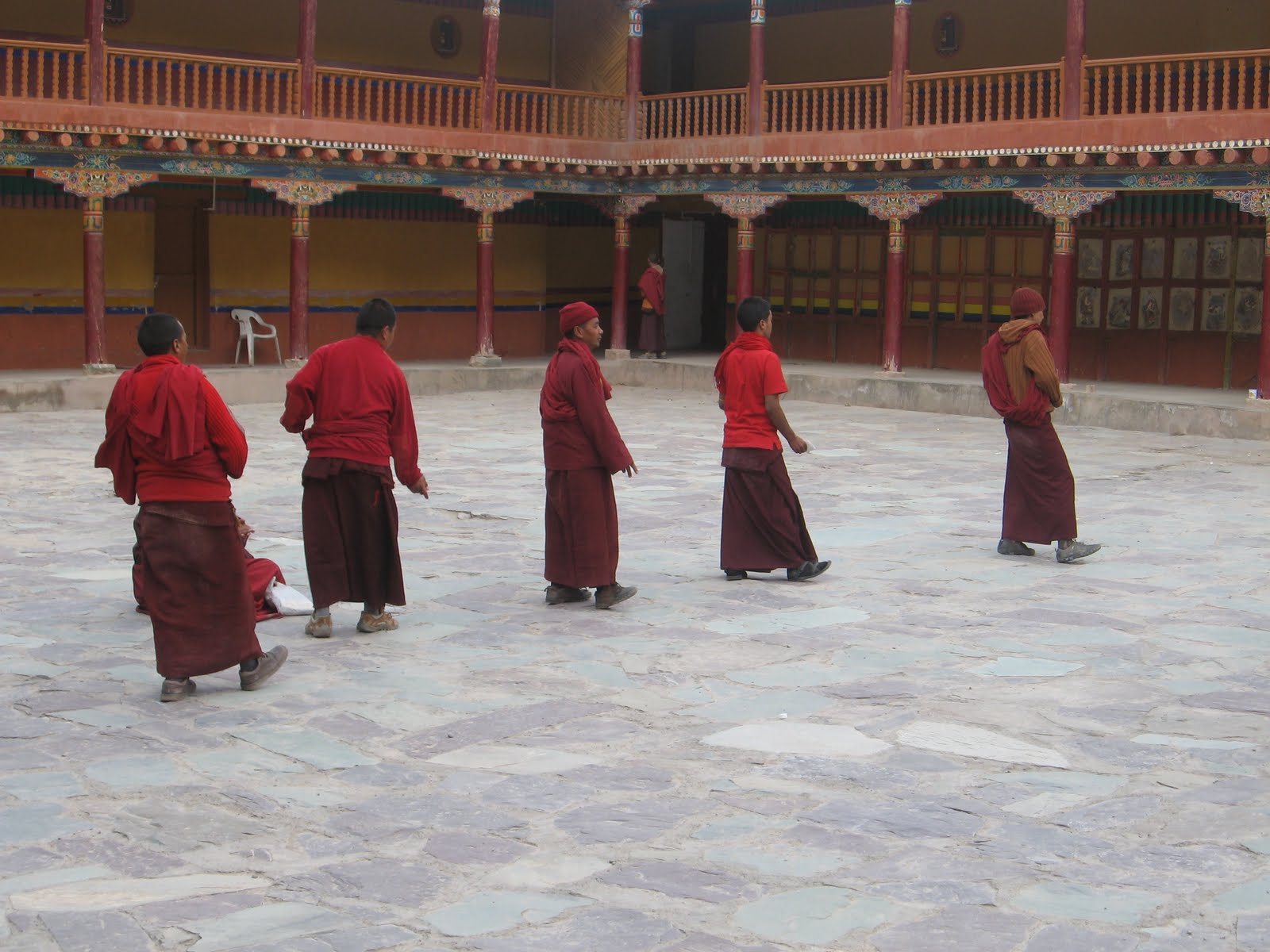
Next, we hired 2 bikes Thunderbird and Avenger and did booking for Pangong Lake next day. With tanks filled, we roared off for the monasteries. First, we went to Shey. Climbing few stairs, we talked a bit about Buddhist rituals from the priest and explored around. We could see lot of beautiful stupas along the way. Next, we went to Thiksey. Presiding over a small hill, this monastery is really picturesque (looks similar to what we see in Hollywood movies or imagine Lhasa). There are lot of temples and paintings inside. We spent a quite a time relaxing there. Then we went to a restaurant nearby and had native Tibetans soups and main course. Suddenly the weather became rainy and we sped to our last destination Hemis monastery. Driving the ascent, through magical terrain was one of a lifetime experience. We went through small villages and saw mountain goats and Yak for the first time. Finally, browsing through the terrain, we got hold of Hemis monastery at a distance. It is really a beautiful tranquil settlement. Inside, we saw group of monks dancing to the hymns. There is a large museum inside, containing priceless possessions from Buddhist culture. I was flattered to see a book containing sacred text written fully in gold. Even the constitution and amendments were written in gold on silk cloth. Some of the artifacts were from 3 AD and is definitely a must watch. Finally, we returned to Leh city and explored more of Tibetan food for dinner.


Day 6 (2nd June)

Finally, my dream was going to be true. Yes I was going to Pangong Lake.

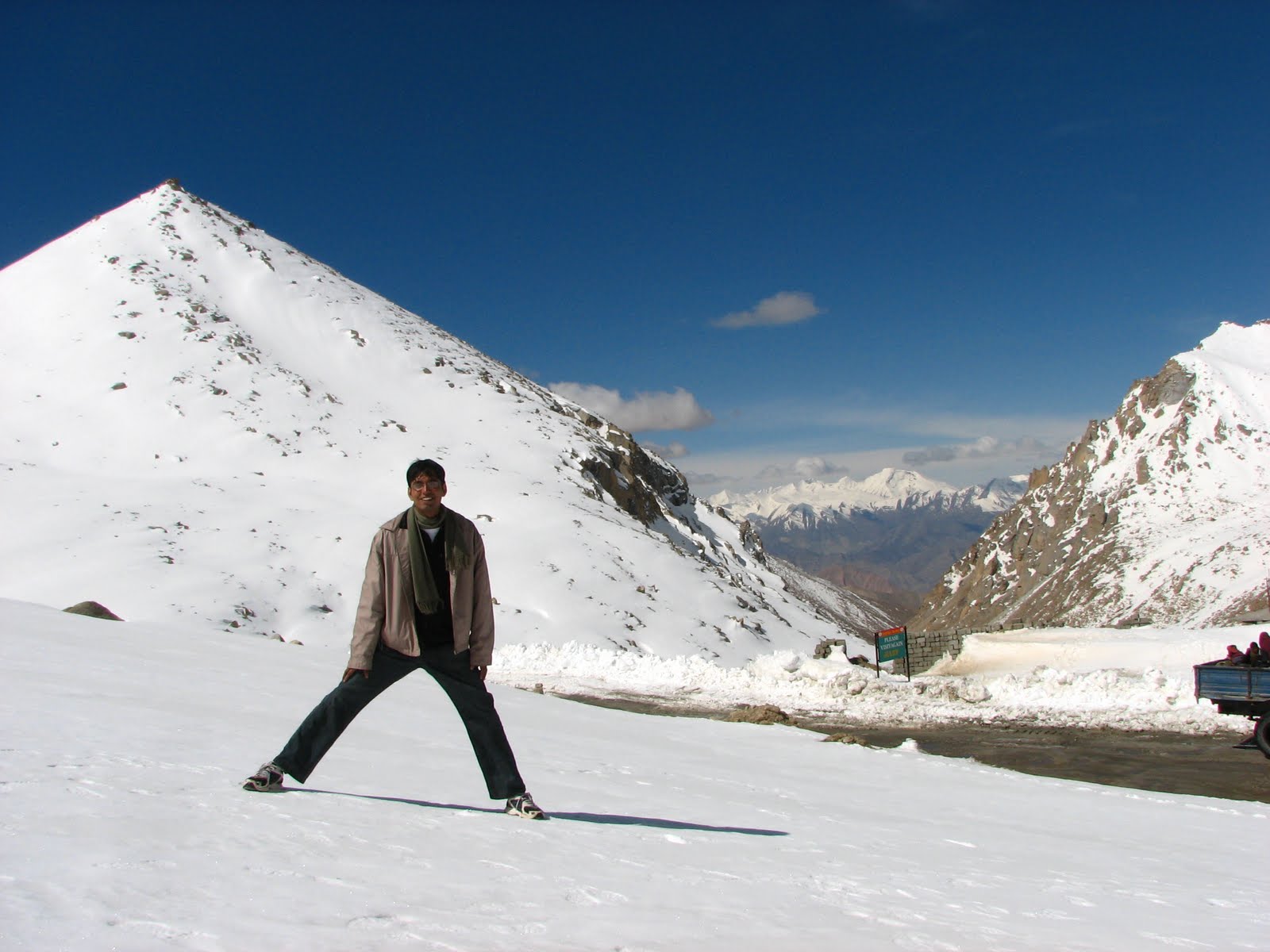
It is 150kms and roughly a 5 hr drive. On the way, we stopped at ‘Chang LA’, the world’s third highest pass at a height of 17,586 FT. Our hopes of running and playing in snow were finally fulfilled, which we missed out in Srinagar-Kargil road. With 30kms away, Sanchit got first glimpses of the Lake - A patch of blue like snake. Finally when we reached, I could only say ‘Wow’. Different shades of peacock blue color and seagulls’ swimming around were something to die for. 40% of the 160km lake is in India and rest in China. We went up till last point ‘Spangmik’ which is the highest latitude in India where civilians are allowed. This is also where concluding part of ‘3 Idiots’ was shot. I called it ‘Phunsuk Wangdu’ point. Finally yay, my mission became complete. I put my fingers in the lake, only to realization that my fingers went numb. We could not stay there for long as we had to return back same day. Lake is supposed to change color as the day passes. I could see the change in color from dark blue to lighter shade by the time we started off. Had a lunch by lake side, and returned to Leh by 7. While returning we saw a rare animal of this region, ‘The Himalayan Marmot Phiya’. They were damn cute and looked like bear cubs. We went to sleep early, as some of us felt symptoms of AMS and exhausted.


Day 7 - 8(3rd – 4th June)

In the morning, we had Ladakhi breakfast at our guesthouse. We had planned to leave from Leh on 4th to Manali. But luck was little bad and roads to Manali had not opened. Also taxis to Srinagar started at 4pm instead of morning. So, we decided to leave the same day. 3-4 hrs to leave, we explored Tibetan and main market and did some handicraft and souvenir shopping.

Journey to Srinagar is a 16hr cannon ball run. Left around 6, we first went to Magnetic hill. Got down and evaluated the optical illusion behind it. Later, we reached Drass at 2 in the morning. Drass-Sonamarg one way opens around 4 in the morning. Suddenly around 6am, we were in zojila pass near Amarnath base camp when a tragic thing happened – fuel over. Amid cloud and rain, we were freezing inside, when driver left us in agony for fuel in a passing taxi. After one and half hours, he finally came back with 10 liters of petrol. At 11, finally we reached Srinagar. Weather was rainy and delightful. In the evening, we went to Lal Chowk and bought variety of dry fruits.


Day 9 (5th June)

We started off for Jammu from Lal Chowk around 9am. Tired we slept most of our way reaching Jammu around 7. We went straight to railway station and had some food. Boarded our train to Delhi around 9pm.


Day 10 (6th June)

Explored South Delhi and Noida after a long time.


Day 11 (7th June)

Flew back to Bangalore, with fantabulous memories of Leh trip.


In a nutshell, this trip gives you a lifetime experience. You get a combined experience of Venice (Srinagar), Switzerland (Srinagar-Kargil),Grand Canyon (Kargil-Leh) and much more. This one is a mandatory road trip. If you are flying in and out of Leh, you just haven’t seen it all! Truly worth going!


More pics at http://picasaweb.google.com/Chandra.Pratyush/TripToLeh